Pragmatos
One screen for the whole shop, and a record of every decision.
Pragmatos connects the machines you have, shows the plant on one screen, reads the trends, proposes what to do and keeps the record. It runs on premise in your plant, in your own cloud, or both: you choose. Pragmatos reads, people act.


What it is: one loop from the machine to the record
PragmatosPragmatos is the operations platform for a manufacturing plant. It connects the machines you have, shows the whole plant on one screen, reads the trends, proposes what to do, turns the approval into work and keeps the record. Nine modules, the loop and the systems around it, share one data model, so a reading, a proposal, a work order and its result are one chain. It runs on premise in your plant, in your own cloud, or both, beside your MES and ERP.
- ConnectLoom Machines, meters and utilities, old and new, read where they stand.
- SeeLive The whole plant on one screen, by role, every figure with its source and age.
- AnalyzePulse Trends, condition, quality and energy, machine by machine.
- DecideOrbis A proposal with its evidence. A person with the right role decides.
- ActFlow The approval becomes a work order, on the shift board and in the ERP.
- ProveDecisions Every proposal, approval and outcome on a tamper-evident record.
Pragmatos reads, people act. Orbis proposes, and the person with the right role decides.
Connect: the machines you have, read where they stand
LoomLoom AI reads the controls, PLCs, energy meters and utilities already in the plant, from last year's machining centre to a lathe that only has a stack light. It reads and never writes, so nothing on the machine changes.
Where nobody knows what a machine can report, Loom AI reads the maker's manual or watches the live signals and proposes what to record. A person confirms the list, and a person with the right role approves each machine's settings before it takes part in any decision.


See: the whole plant on one screen, by role
LiveEach person opens Pragmatos to a day screen built for their role: what needs them now, their work today, what they are watching, and the plant at a glance. Hall 1 and Hall 2 are counted the same way, so they compare on the same terms.
Every figure says what it rests on and how old it is. When a machine stops sending, the figure says so and shows the time of the last reading, rather than holding on to an old number.


Analyze: trends, condition and quality, machine by machine
PulsePulse reads your own plant data: each machine against its own baseline, the condition of spindles, tools and feed axes, process capability for quality, and energy per machine and per part. A slow change shows up while there is still time to plan the repair, which is what predictive maintenance is for.
Ask your plant a question in plain words and the answer comes from your data, with its sources shown. The language model behind it runs inside your installation.


Decide: Orbis proposes, a person decides
OrbisOrbis turns what Pulse sees into one proposal per issue, not a flood of alarms. A smart language model works in an ensemble with statistical and physical methods, and it learns from every decision a person confirms, so its proposals get sharper over time.
Every proposal shows how it got there: the readings it used, the rule or model, how much data it rests on, the risk, the reasoning, and what it cannot tell. The person with the right role approves it or turns it down, with a reason. Orbis does not decide.

Act: an approval becomes work
FlowOnce a person approves, Flow turns the decision into a work order with the machine, the shift and the parts it needs. The shift lead sees it on the board, the operator gets it at the terminal, and the completion comes back the same way.
Pragmatos sits beside your MES and ERP. Fabric sends approved work into SAP, proALPHA, Dynamics 365 Business Central or Odoo and brings the completions back. Where a plant has no MES, Flow carries the shop-floor work: orders, stock, maintenance and quality.


Prove: every decision on the record
DecisionsDecisions keeps the whole chain: the reading, the proposal and what it rested on, who approved it in which role and why, the work that followed and how it ended. The record is tamper-evident, and you can export it per machine, per period or for the whole company.
It is designed for the EU AI Act's human-oversight and logging requirements. Whether your use meets the Act is for you and your advisers to assess. When an auditor, a customer or the works council asks why something was done, the answer is in one search of the record. See the loop on plants like yours: Pragmatos in Practice.


Under the loop: the platform and the plant in three dimensions
PlatformFive parts carry the loop. You see most of them only when you need them.
Foundation
One data model under every module. A reading from an old lathe, a quality hold and an ERP work order are described the same way, so a new machine or a new business system plugs into what is there.
Fabric
The standard link layer inside the Platform: ERP orders in, confirmations out. You configure it. If Fabric has the connector, you configure it from the Platform's screens. If it doesn't, Mateos adds the link: integrate with Mateos.
Command
Runs Pragmatos across plants: what runs where, which version, and settings checked against the approved baseline. Backup and restore one company at a time.
Mobile
Alarms with acknowledgement and approvals with a reason, on the phone, and it keeps working through patchy Wi-Fi in the hall.
Nexus
The plant as a three-dimensional model in its live state, built from the plant model without CAD. A stale reading looks stale. It shows; it does not steer.
Next for your plant: the systems around the loop
Integrate · Build · MigrateThe loop runs on your machines. Around it sit the systems your plant already owns, and the processes that still live in Excel, on paper, or in a legacy system that does not fit the modern digital highway. Integrate the first with Mateos. Build the second on Helios, on the same foundation Flow runs on. And when the old records have to come along, migrate them with Albatross.
Integrate with Mateos: the systems you already own
Orders, parts, documents and changes stay in step between the systems you own and the floor, and every transfer is logged with its result. Where Fabric has the connector, you configure it. Where it has none, Mateos adds the link, including to a legacy database that only answers a query.
Build it on Helios: the system you do not have yet
The process that lives in Excel, on paper, in someone's head or in a legacy system becomes an application on Helios. It is built low-code on the foundation Flow runs on, with AI that drafts screens, data and workflows from a codebase that already knows plant applications. You see working screens before the build is finished, and your people decide what goes in.
Migrate with Albatross: the records you already have
A new system starts with years of history: parts, orders, measurements, maintenance records, in the old system and in the spreadsheets. Albatross moves them across in three steps, each with its own agent, each checked and restartable from where it stopped.
Which route each system takes
Start from the system, and the route follows: a machine connects through Loom, a system you own is integrated with Mateos, a process with no system is built on Helios, and the data in a system you retire is migrated with Albatross.
Connect: LoomIntegrate with Mateos: the route mapFabric on the Platform pageBuild it on HeliosMigrate with Albatross
One week in a machining plant: the loop at work
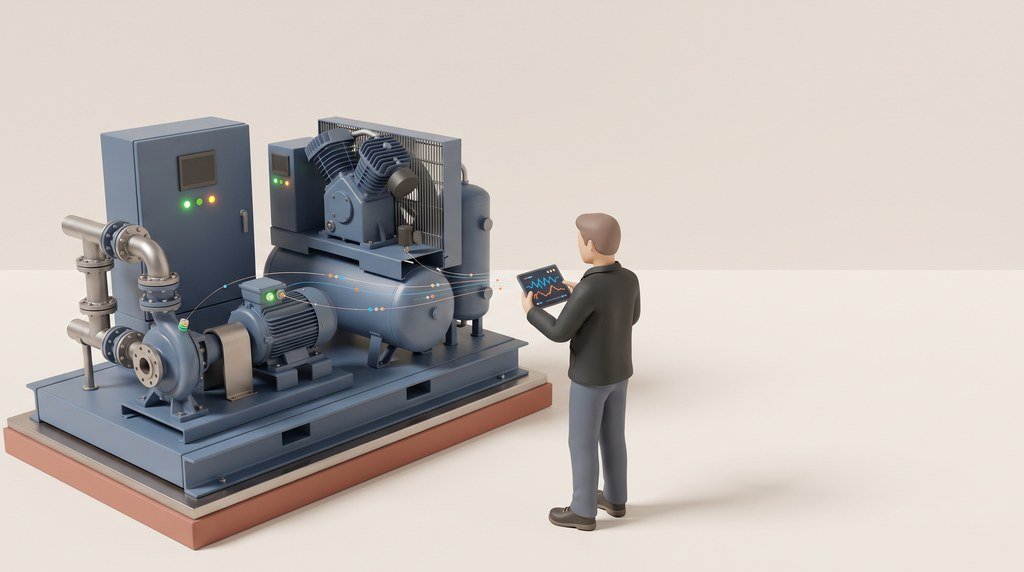
PragmatosAn example week in a plant with forty machines, three shifts and one planned stop on Friday. This is what the loop does with one pump and one compressor. See it in a machining firm that runs three sites.
- Shift change.
The day screen shows three items under Needs me now. The night's two stops already carry their reasons, entered at the machine.
- Cooling pump 2.
Its vibration has risen over the last six shifts and is still inside its limit. Pulse marks the change against the pump's own baseline.
- Orbis proposes.
Change the mechanical seal at Friday's planned stop. It shows two earlier cases on this pump where the same pattern ended in a seal change, and that the seal is in stock.
- The maintenance lead approves.
With a reason, from the phone. Flow creates the work order for Friday, and the shift lead sees it on the board. Integrated with Mateos, the same order shows up in your ERP, so planning and purchasing see it too.
- The seal is set aside.
The seal stock used to live in a spreadsheet at the tool crib. Now it is a small application built on Helios, beside Flow, so the seal Orbis counted on is booked to Friday's order. The old stock list came across with Albatross when the application went in.
- Compressor 1.
It ran for 14 hours over the weekend with no production. The energy manager finds it on the day screen, with the base load beside it, and books a leak walk for Tuesday.
- The seal is changed in the planned stop.
The work takes 50 minutes. The completion comes back through Flow and, through Mateos, closes the order in your ERP. Decisions holds the whole chain: the readings, the proposal, the approval, the work and the result.
What else the week touched: the ERP, integrated with Mateos. The tool-crib application, built on Helios. Its old stock list, migrated with Albatross.
Integrate with MateosBuild it on HeliosMigrate with Albatross

What changes for you, role by role
PragmatosPragmatos has a view for each role in the plant, and each person sees the screens that belong to their work. Open your role to see what changes on Monday.

Monday starts on one screen: what stopped, why, and who is already on it. Hall 1 and Hall 2 are counted the same way, so they compare on the same terms.
Every decision in the plant has a name, a role and a reason beside it.
The Excel process, or the legacy system nobody wants to touch, built into an application on Helios: build it on Helios. Its old records come along: migrate with Albatross.
Condition and wear per machine, against each machine's own baseline, so a slow change shows up while the repair can still be scheduled.
Orbis proposes the repair with the earlier cases behind it. You approve it, and the work order is created for the right stop.
The tool-crib app built on Helios; your CMMS integrated with Mateos where it has an interface.
Measuring results sit beside the machine and the shift that made the part, with process capability and run rules on the same screen.
When a process drifts out of control, Orbis proposes a containment step, such as hold, re-measure or rework. Quality decides, and two people sign a release.
The 8D/CAPA tracker built on Helios; your CAQ integrated with Mateos where it has an interface.
Energy per machine, per line and per part, the 15-minute peak, the base load outside production, and every plant on one chart.
Pragmatos supports your ISO 50001 energy management with the readings and records it asks for.
Cycle times, stops and their reasons, and effectiveness by machine, line and shift, all from the machines themselves.
Explore any signal for any period, add your own calculated fields, and share the view with the shift.
The shift board shows each machine with its order, the stops still waiting for a reason, and the last day's confirmations.
The handover is written in Pragmatos, so the next shift starts where yours ended.
A stop gets its reason at the terminal, in a few taps and in your own language. Pragmatos speaks 28.
Work orders arrive at the terminal, and your confirmation goes straight back to the board.
Pragmatos reads and has no write path to any control, so setpoints, programs and cycles stay as they are.
You choose how each machine connects, and no machine takes part in a decision until a named role approves its settings.
It runs where you choose: on premise in your plant, in your own cloud, or both, with one database per company, sign-in through your own identity provider and a view per role.
It fits your IEC 62443 zone-and-conduit design (IEC 62443-3-2), with a software bill of materials for the Cyber Resilience Act, and it supports your NIS2 duties. Everything can be exported.
Integration on industry standards: REST with OpenAPI, events over Kafka. Integrate with Mateos. Retiring a system? Migrate its data with Albatross, checked before and after the move.
Where the hours go, what the energy costs per part, and which decisions were taken, by whom and why.
It starts with the machines you already have. No PLC to replace and no machine to retire.
A read-only view of its own: every place a name can appear and who can see it, the role assignments and the reports.
Linking records to a person is switched on only with a works agreement on file. The switch is on the record, and the works council is told before it takes effect.
Where Pragmatos comes from
Since 1.0The first Pragmatos connected equipment and showed it live, with alerts on limits and dashboards for each site. It ran for companies like these:

- A renowned cold-chain products manufacturerRefrigeration and cold storage
- A water-technology multinationalWater treatment and pumping
- A heavy-process equipment makerCement and minerals
- A renowned industrial automation majorAutomation and controls
- A commercial campus and technology-park developerBuildings and utilities
What those sites asked for next shaped Pragmatos as it is today: not another screen, but a proposal with its reasons, a person who decides, and a record of both.
Your server, your data, your decision
TrustPragmatos runs where you put it and keeps the data where you keep it. Each person sees the views that belong to their role, and a screen outside that role is refused.


- On premise or in your own cloudOn premise in your plant, in your own cloud, or both: you choose. In a hybrid set-up, the edge computer in each plant reads the machines, buffers through a network drop and sends on only the data you choose.
- Your data stays with youNothing leaves unless you switch on push messages, a messenger channel or a sign-in from outside. Everything can be exported.
- Read-only at the machineNo write path to any control. Pragmatos reads, people act.
- One database per companyBackup, restore and upgrade one company at a time.
- Fits your IEC 62443 zonesDeploys into your zone-and-conduit design (IEC 62443-3-2) and supports your NIS2 duties, with a software bill of materials for the Cyber Resilience Act.
- Designed for the EU AI Act's human-oversight and logging requirementsWhether your use meets the Act is for you and your advisers to assess. A person decides each proposal.
Follow the loop
- ConnectThe machines you have, read where they stand.
- SeeThe whole plant on one screen, by role.
- AnalyzeTrends, condition and quality, machine by machine.
- DecideOrbis proposes, a person decides.
- ActAn approval becomes work.
- ProveEvery decision on the record.
- NexusThe plant in three dimensions, live.
- Platform and trustHow it runs, and who holds the data.
- Integrate with MateosThe systems you already own, in step with the floor.
- Build it on HeliosThe system you do not have yet, beside Flow.
- Migrate with AlbatrossThe records you already have, moved across.
How we think about it
The arguments behind Pragmatos, one problem at a time.
Questions plant managers, IT and works councils ask
Check your own plant first.
Twelve free Factory Floor Kits turn your own figures into one answer each: OEE, stop costs, energy per good part, data readiness. No sales call.
See the kitsSee Pragmatos on a plant like yours.
We walk you through the loop on a plant set up like yours, and we answer the questions your IT and your works council will ask.
Book a walkthrough